Hosting is the bill most business owners pick once, forget about, and quietly resent when the site gets slow. When you’re weighing managed WordPress hosting vs shared hosting, the real question isn’t which is cheaper on paper, it’s which one keeps your site fast, online and out of trouble while you run the business. This guide breaks down the difference in plain English, with real 2026 Australian prices, so you can pick the right plan for where your business is now. If you run a Gold Coast shop, trade or service business on WordPress, this one’s written for you.
What is shared hosting?
Shared hosting is the entry-level option, and it’s exactly what it sounds like. Your website lives on a single server alongside dozens, sometimes hundreds, of other sites. Everyone draws from the same pool of processor power, memory and bandwidth. It’s the apartment block of web hosting: cheap, functional, and you can hear the neighbours.
For a brand-new site with light traffic, that’s often fine. A basic brochure site, a tradie’s five-page site, or a blog that’s just getting started will sit happily on shared hosting. You get a control panel, an SSL certificate, email, and enough resources to serve a steady trickle of visitors.
The catch is that shared hosting is general-purpose. It isn’t tuned for WordPress specifically, so caching, updates and backups are usually left to you. You’re the landlord, the plumber and the security guard all at once.
What is managed WordPress hosting?
Managed WordPress hosting is a server environment built and tuned for one job: running WordPress well. The host handles the technical maintenance that eats your time, including software updates, security monitoring, daily backups, caching and performance tuning. The provider takes care of the server admin so you can focus on the business rather than the back end.
Most managed plans also give you tools a generic host won’t, such as a one-click staging site to test changes safely, WordPress-aware support staff who actually know the platform, and a built-in content delivery network (CDN) and caching layer to keep pages quick. Some isolate your site’s resources in a container, so a busy neighbour can’t drag you down.
In short, you’re paying for someone else’s expertise and a setup designed around WordPress instead of a one-size-fits-all box.
Managed WordPress hosting vs shared hosting: the real differences
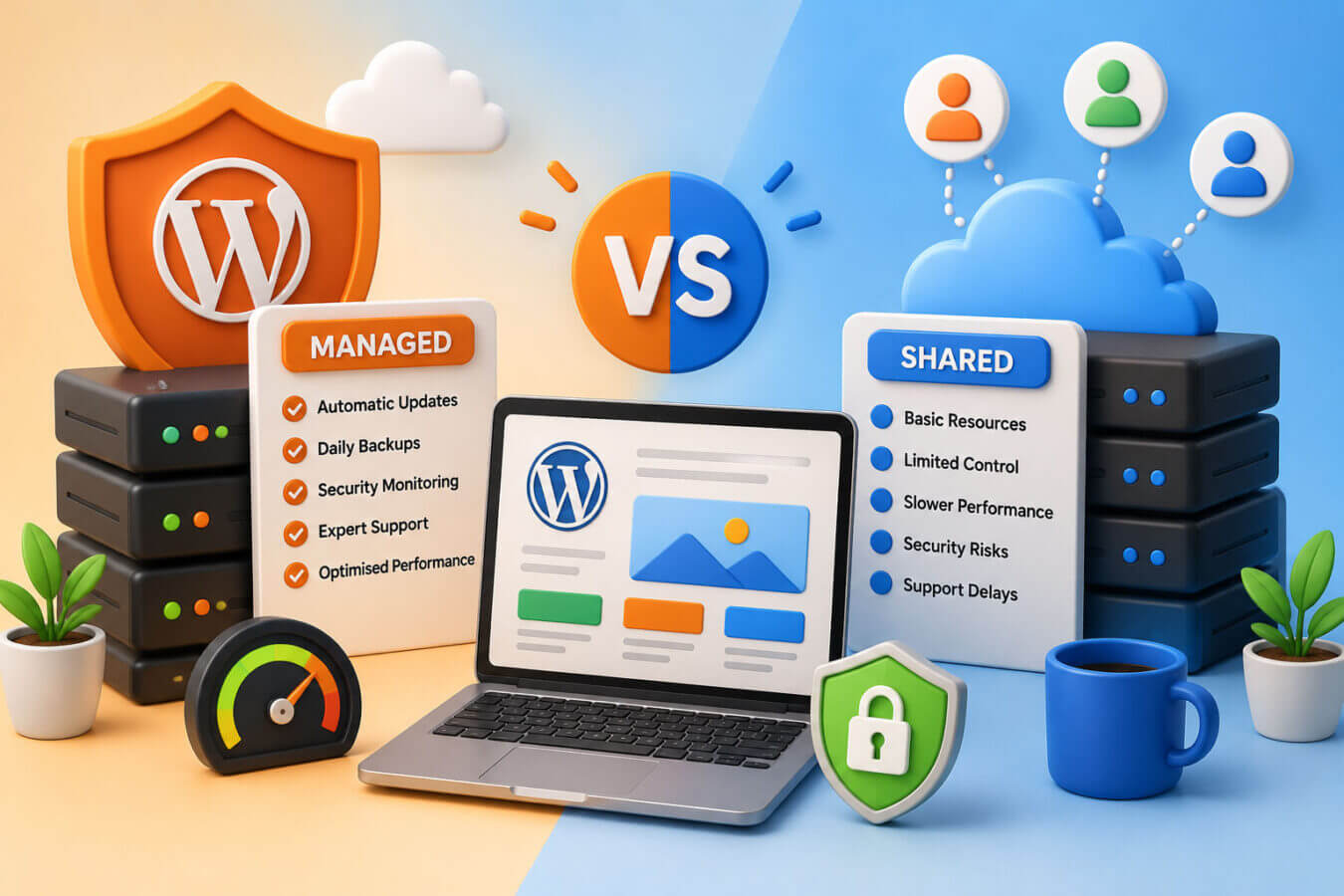
Side by side, the gap is less about raw features and more about who does the work. Here’s how the two stack up for a typical Australian small business.
| Factor | Shared hosting | Managed WordPress hosting |
|---|---|---|
| Monthly cost (AUD) | $4–$11 | $25–$100+ |
| Who runs updates | You | The host |
| Backups | Usually manual | Automated daily, off-site |
| Speed tuning | Do it yourself | Built in (caching, CDN) |
| Support knowledge | General hosting | WordPress specialists |
| Staging site | Rarely included | Usually included |
| Resource isolation | Shared with neighbours | Often isolated |
| Best for | New, low-traffic sites | Growing or revenue-driving sites |
The pattern is clear. Shared hosting is cheaper but shifts the work and the risk onto you. Managed hosting costs more and takes that work off your plate. Which trade-off makes sense depends entirely on how much your website earns and how much your time is worth.
What each option costs in Australia in 2026
Price is usually where the decision starts, so let’s be specific. These are typical 2026 figures from Australian and Australian-facing providers.
| Plan type | Typical price (AUD/month) | What you generally get |
|---|---|---|
| Budget shared | $4–$7 | One site, basic resources, manual everything |
| Standard shared | $8–$11 | A few sites, more storage, free SSL |
| Entry managed WordPress | $25–$40 | One site, daily backups, caching, support |
| Mid-tier managed | $40–$70 | Staging, CDN, higher traffic limits |
| Premium managed | $70–$100+ | Multiple sites, priority support, isolation |
As a rule of thumb, managed WordPress hosting runs two to six times the cost of basic shared hosting, depending on what’s bundled in. That sounds steep until you price your own time. If managed hosting saves you three hours a month of fiddling with updates and backups, it has likely paid for itself before you factor in the faster load times and fewer 2am outages.
One honest note: don’t judge a host on the headline price alone. The cheap introductory rate often jumps at renewal, and some “managed” plans are just shared hosting with a nicer label. Read what’s actually included.
Performance: speed, uptime and the noisy neighbour problem
Speed is where most owners feel the difference first. On shared hosting, your site competes for resources with everyone else on the server. If one of those sites gets a traffic spike or runs a heavy process, your pages slow down through no fault of your own. That’s the noisy neighbour problem, and it’s the single biggest performance risk of going cheap.
Managed WordPress hosting tackles this with caching, a CDN and, on better plans, isolated resources so a neighbour’s bad day stays their problem. Page speed isn’t vanity, either. It feeds directly into your SEO rankings and your conversion rate, because visitors abandon slow sites and Google notices. If your site sends traffic from Google Ads, a slow page also wastes the money you spent on the click. For a deeper look at squeezing more speed out of WordPress, our WordPress optimisation work pairs well with a good host.
Uptime matters just as much. A site that’s down isn’t taking bookings or making sales. Managed hosts typically monitor uptime around the clock and fix server issues before you’d even notice; on shared plans, you often find out from a customer.
Security, backups and updates
Outdated software and missing backups cause most WordPress headaches, and this is where managed hosting earns its keep. A good managed host keeps WordPress core, plugins and PHP patched, scans for malware, and runs a firewall at the server level. Many also keep daily off-site backups, so if something breaks you can roll back in minutes rather than rebuilding from scratch.
On shared hosting, that responsibility is yours. You’ll need to schedule updates, run your own backups and add a security plugin, or risk falling behind. If you’d rather not think about it, that maintenance can also be handled through a dedicated website maintenance plan or our website security services. The official WordPress hardening guide is a good reference if you want to tackle it yourself.
A quick reality check: WordPress core is rarely the weak point. The risk almost always sits in outdated plugins and weak logins, which is exactly the routine work a managed host stays on top of for you.
When shared hosting is the right choice
Managed hosting isn’t always the answer, and it’s fine to start small. Shared hosting is the sensible call when your site is brand new, traffic is light, and the website isn’t yet driving real revenue. If you’re testing an idea, running a simple brochure site, or you’re genuinely comfortable handling your own updates and backups, the cheaper plan does the job.
The trick is to treat shared hosting as a starting point, not a forever home. Keep an eye on load times and uptime as you grow. The moment the site starts earning money or slowing down, it’s worth revisiting the maths.
When it’s time to move to managed hosting
A few clear signals tell you the cheap plan has run its course. Your pages have started loading slowly, especially during busy periods. You’ve had unexplained downtime. You’re spending real time wrestling with updates, or worse, you’ve been hacked or lost data because a backup wasn’t there. And the big one: the website now brings in bookings, leads or sales you can’t afford to lose.
Take a Gold Coast retailer we worked with. Their store ran fine on a $9-a-month shared plan until a local feature sent a rush of traffic and the site crawled, then dropped out entirely for a morning. They lost a day of orders during their busiest week. Moving to managed WordPress hosting at around $45 a month fixed the speed, added daily backups, and the outages stopped. The extra $36 a month cost less than the single morning of sales they’d lost.
That’s the calculation in a nutshell: when downtime costs more than the upgrade, the upgrade is the cheaper option.
How to choose for your business
Start with one question: what does an hour of your site being down or slow actually cost you? If the answer is “not much yet”, shared hosting is a fair start. If the answer involves lost bookings, abandoned carts or wasted ad spend, managed WordPress hosting is the safer bet.
Then look past the sticker price. Check the renewal rate, confirm backups are automated and off-site, make sure support actually knows WordPress, and look for a staging site if you update your site often. Australian-based servers or a CDN with local nodes will also help your load times for local customers. If you’d like a hand weighing it up, our Gold Coast web design team can look at your traffic and point you to the right fit, and our managed WordPress hosting takes the whole job off your hands.
The bottom line
The choice between managed WordPress hosting and shared hosting comes down to who you want doing the work and how much your uptime is worth. Shared hosting is cheap and fine for new, low-traffic sites, as long as you’re happy running your own updates and backups. Managed hosting costs more but hands the maintenance, speed and security to specialists, which pays off the moment your website starts earning its keep. Start where your business is today, watch your load times and revenue, and upgrade when the numbers say so. If you’d rather skip the guesswork, we’re happy to take a look and tell you straight.
Frequently Asked Questions
What is the difference between managed WordPress hosting and shared hosting?
Shared hosting puts your site on a server with many others and leaves updates, backups and security to you, for around $4–$11 a month. Managed WordPress hosting costs more, usually $25–$100 a month, but the provider runs updates, daily backups, caching and security on a server tuned for WordPress. Shared is cheaper; managed saves you time and risk.
How much does managed WordPress hosting cost in Australia?
Managed WordPress hosting in Australia typically costs between $25 and $100 per month in 2026, depending on the plan. Entry-level plans around $25–$40 cover one site with backups and caching, while premium plans above $70 add staging, a CDN, resource isolation and priority support. That’s roughly two to six times the price of basic shared hosting.
Is shared hosting good enough for a WordPress website?
Shared hosting is good enough for a new or low-traffic WordPress site that isn’t yet driving revenue. It runs a simple brochure or blog site fine for $4–$11 a month, provided you keep up with your own updates and backups. Once the site gets busy or starts earning money, slow load times and downtime usually make managed hosting the better value.
When should I upgrade from shared to managed hosting?
Upgrade from shared to managed hosting when your site slows down during busy periods, suffers unexplained downtime, or starts driving bookings and sales you can’t afford to lose. If you’re spending real time on updates and backups, or you’ve been hacked, that’s another clear signal. The rule of thumb: upgrade once downtime costs more than the higher monthly fee.
Does managed WordPress hosting make a website faster?
Yes, managed WordPress hosting generally makes a site faster than shared hosting. It includes built-in caching, a content delivery network and, on better plans, isolated resources so other sites can’t slow yours down. Faster load times improve both search rankings and conversions, which is why managed hosting suits sites that depend on traffic for revenue.
Do I still need backups with managed WordPress hosting?
Most managed WordPress hosting includes automated daily off-site backups, so the host covers it for you. It’s still worth confirming how far back the backups go and testing a restore once, so you know it works. On shared hosting, backups are usually your responsibility and should be automated and stored off the main server. —